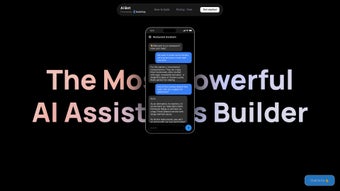

Download AIbot – Low‑Code Chatbot Builder for WhatsApp, Telegram, SMS & More (Free, Secure, Auto‑Update)
Overview
AIbot is a versatile low‑code chatbot builder that lets businesses and individuals design intelligent conversational agents without writing a single line of code. The platform focuses on seamless integration with the most popular messaging channels—including WhatsApp, Telegram, SMS, MMS, and Twitter—so you can reach customers wherever they already communicate. What sets AIbot apart is its visual workflow editor, Table UI for data handling, and built‑in Cloud Functions that extend bot capabilities with custom logic.
Whether you need a simple FAQ responder, an image‑recognition assistant, or a voice‑enabled support bot, AIbot’s pre‑built templates get you up and running in minutes. The tool also embraces collaboration: team members can be invited with fine‑grained permissions, making it easy for product, support, and marketing teams to co‑manage the same bot. Security is baked in; all conversation data lives in your own Google Cloud project, giving you full control over privacy and compliance.
AIbot automatically applies the latest security patches, ensuring a secure environment without manual updates. While the platform currently supports a select group of messaging apps and relies on third‑party connectors for some advanced features, its scalability on Google Cloud and extensibility through APIs make AIbot a future‑proof choice for anyone looking to automate customer engagement, reduce response times, and boost satisfaction. The free 14‑day trial gives you full feature access, allowing you to test the limits before committing to a paid plan, and the pricing model scales with message volume, so you only pay for what you use.
Key Features, Benefits, Pros & Cons
Feature Overview
AIbot’s feature set is built around three core pillars: ease of use, multi‑channel reach, and enterprise‑grade extensibility. The drag‑and‑drop visual builder eliminates the need for scripting, while the Table UI lets you manage structured data such as product catalogs or FAQ entries directly inside the platform. Cloud Functions give developers the freedom to write custom JavaScript or Python snippets that run on demand, enabling complex calculations, third‑party API calls, or AI‑driven sentiment analysis. Pre‑built templates accelerate time‑to‑market, and role‑based access controls keep teams aligned without exposing sensitive data. All of these capabilities are delivered through a browser‑based interface, meaning there’s no heavy client installation, and updates are applied automatically on the back end.
Feature List
- Low‑code visual builder with drag‑and‑drop flow design.
- Native integration with WhatsApp, Telegram, SMS/MMS, and Twitter.
- Support for image, audio, and text interactions.
- Table UI for structured data management and quick look‑ups.
- Cloud Functions to add custom JavaScript or Python logic.
- Pre‑built chatbot templates for sales, support, and lead capture.
- Team collaboration with role‑based access controls.
- Data stored securely in your own Google Cloud project.
- Scalable infrastructure that grows with your user base.
- Extensible via RESTful APIs for third‑party services.
Pros
- Zero‑code entry point – ideal for non‑technical marketers.
- Fast deployment thanks to ready‑made templates.
- Robust multi‑channel support covering the most used messaging apps.
- Secure, self‑hosted data storage on Google Cloud.
- Highly extensible with Cloud Functions and external APIs.
- Team collaboration tools reduce hand‑off friction.
- Automatic updates keep the platform secure without user intervention.
Cons
- Limited to the listed messaging platforms; no direct Facebook Messenger or WeChat support.
- Advanced integrations rely on third‑party connectors, which may incur extra cost.
- Learning curve for power users wanting deep custom logic.
- Pricing tiers can become expensive for large‑scale deployments.
- Mobile companion app offers monitoring but not full bot design capabilities.
Installation, Usage & Compatibility
Getting Started in Minutes
To begin, visit the AIbot website and create a free account. After confirming your email, you’ll be prompted to link a Google Cloud project—this is where all bot data, logs, and Cloud Functions reside. The linking process is guided by a step‑by‑step wizard that asks for your Google credentials and the project ID you wish to use. Once connected, you can launch the visual builder directly from the dashboard. The first‑time user experience includes a short tutorial video, an interactive tour of the canvas, and a checklist that ensures you have connected at least one messaging channel before publishing.
Building Your First Bot
Inside the builder, select a template that matches your use case—e.g., “WhatsApp Sales Bot.” The template loads a pre‑configured flow: greeting, product catalog, and checkout. Using the drag‑and‑drop canvas, you can add new nodes, such as “Capture Image” for product photos or “Voice Input” for spoken queries. The Table UI lets you store product data, pricing, and inventory levels without touching a database.
When you need custom processing—like calculating discounts—you enable a Cloud Function, write a short script, and attach it to the relevant node. All changes are saved instantly, and a “Preview” button lets you test the bot on the chosen messaging channel before publishing. You can also export the flow as JSON for version control or share it with teammates for review.
Supported Operating Systems
AIbot is a cloud‑native SaaS platform, meaning you can access the builder from any modern web browser on Windows 10/11, macOS Monterey or later, Linux distributions, as well as Chrome OS. There is also a lightweight mobile companion app for iOS 13+ and Android 8+ that lets you monitor bot performance, view analytics, and respond to live chats on the go. Because everything runs in the browser, there is no need for separate installations or frequent patching on the client side.
Deployment, Updates & Ongoing Management
Once your bot is live, AIbot automatically handles versioning and updates. Any change you make in the builder is version‑controlled; you can roll back to a previous state with a single click. The platform also pushes security patches and performance improvements to the underlying infrastructure, ensuring that your bot remains fast, reliable, and compliant with the latest data‑privacy regulations. For ongoing management, the dashboard provides real‑time analytics, message logs, and error reports. You can set up alerts for spikes in traffic or failed API calls, allowing you to intervene before users notice any issues.
FAQ & Final Verdict
Frequently Asked Questions
-
Can I integrate AIbot with my existing CRM?
Yes. AIbot offers webhook support and a REST API that can push conversation data directly into popular CRMs such as Salesforce, HubSpot, and Zoho. You can also use built‑in Cloud Functions to transform and sync data in real time, ensuring leads and support tickets are captured without manual effort.
-
Is there a free tier or trial?
AIbot provides a 14‑day free trial with full feature access, allowing you to build and publish bots on up to two messaging channels. After the trial, you can choose from several paid plans based on message volume and required integrations, with a pay‑as‑you‑grow option for startups.
-
How does AIbot ensure data security?
All bot data is stored in your own Google Cloud project, which you control via IAM permissions. Data at rest is encrypted using Google’s default encryption, and in‑transit traffic is secured with TLS 1.3. AIbot also supports VPC‑restricted access and audit logging for compliance‑focused organizations.
-
Can I add voice recognition to my chatbot?
Absolutely. AIbot supports voice input on platforms that allow audio messages (e.g., WhatsApp and Telegram). You can enable a voice node, which leverages Google Speech‑to‑Text to convert spoken words into text for processing. The resulting transcript can be fed into any downstream logic or AI model you configure.
-
What happens if I exceed my monthly message quota?
When you reach the quota, AIbot will pause outbound messaging and send you a notification. You can either upgrade your plan instantly or purchase additional message bundles to continue uninterrupted service. The system also provides a usage dashboard so you can forecast future needs.
Conclusion – Is AIbot Right for You?
AIbot delivers a compelling blend of low‑code ease, multi‑channel reach, and enterprise‑grade security. Its visual builder and ready‑made templates make it accessible for marketers, while Cloud Functions and API hooks satisfy developers looking for deeper customization. The platform’s primary limitation lies in the current set of supported messaging apps and the reliance on third‑party connectors for niche integrations. However, for most small‑to‑medium businesses aiming to automate customer support, capture leads, or run promotional campaigns, AIbot offers a fast‑to‑market solution that scales effortlessly on Google Cloud.
Ready to transform your customer conversations into productive, automated experiences? Download AIbot today, start your free trial, and watch your engagement metrics climb.
Pros
- Intuitive drag‑and‑drop editor
- Strong multi‑channel support
- Secure data handling on Google Cloud
- Extensible via Cloud Functions and APIs
- Free trial with full feature set
Cons
- Missing native Facebook Messenger integration
- Advanced connectors may add extra cost
- Pricing can increase sharply at high volume
AIbot makes building chatbots fast and secure. The visual editor is intuitive, and the integration with WhatsApp and Telegram works flawlessly. The only drawback is the limited set of native messaging channels, but the extensibility options compensate for that gap.



.png)



